Access: inspect only
writes require explicit edit consent
⊠ create_instances
Nothing was created.
Inside Roblox Studio
Describe a colorful cartoon Roblox game. Apple builds it inside your own Roblox Studio place, names every step while it happens, and changes nothing until you say so.
Free to start, no card. Plugin availability
One request, sent twice from the deployed product, over the same pairing, differing only in consent.
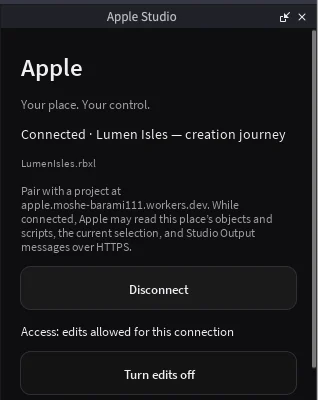
Sent, both timesCreate a single Part named ConsentProbe in Workspace. Nothing else.
Access: inspect only
writes require explicit edit consent
⊠ create_instances
Nothing was created.
Access: edits allowed for this connection
The Part "ConsentProbe" has been successfully created in the Workspace.
Workspace
 ├ Camera
 ├ Terrain
 ├ SpawnLocation
 ├ Baseplate
 └ ConsentProbe        ← present
Edits stay off until you allow them. This build supports bounded place operations, Run-mode playtests and short player Test sessions. It cannot publish, upload assets or execute arbitrary received Luau inside the plugin.
The whole log of one run, and the five defects it left behind
One refused op and one granted op is a control pair, not a capability sweep.
Three steps, in order, with the third one being the point.
A six-character code links Apple to the Studio place you have open. Nothing else in your account is in scope, and the pairing ends when you disconnect.
Plain language. Apple reads the tree, plans the change, and takes a checkpoint before it writes. Individual writes stay in Studio’s own Ctrl+Z history; restoring the checkpoint is the whole-run exit.
See what Apple is doing now as one clear step that gives way to the next. The result stays in your place, in Studio, where you can run it.
Four things it does end to end today.
It walks your instance tree and scripts first, then proposes the change — and takes a checkpoint before touching anything.
It renders the scene from inside Studio and scores the picture against a visual gate, with named defects rather than a verdict.
Scripts land in your place through Studio’s own editor APIs, and it refuses to write code that loads assets or calls the network.
Text-to-3D runs through Roblox’s own generation service, and a descendant scan refuses anything that arrives carrying code.
Try it · read order
Read a node. That is the first thing it does.
0 of 3 read · writes still shut
Sample critique
6/10
Try it · ask for three things
local Players = game:GetService("Players")

Players.PlayerAdded:Connect(function(player)
  local stats = Instance.new("Folder")
  stats.Name = "leaderstats"
  local coins = Instance.new("IntValue")
  coins.Name = "Coins"
  coins.Parent = stats
  stats.Parent = player
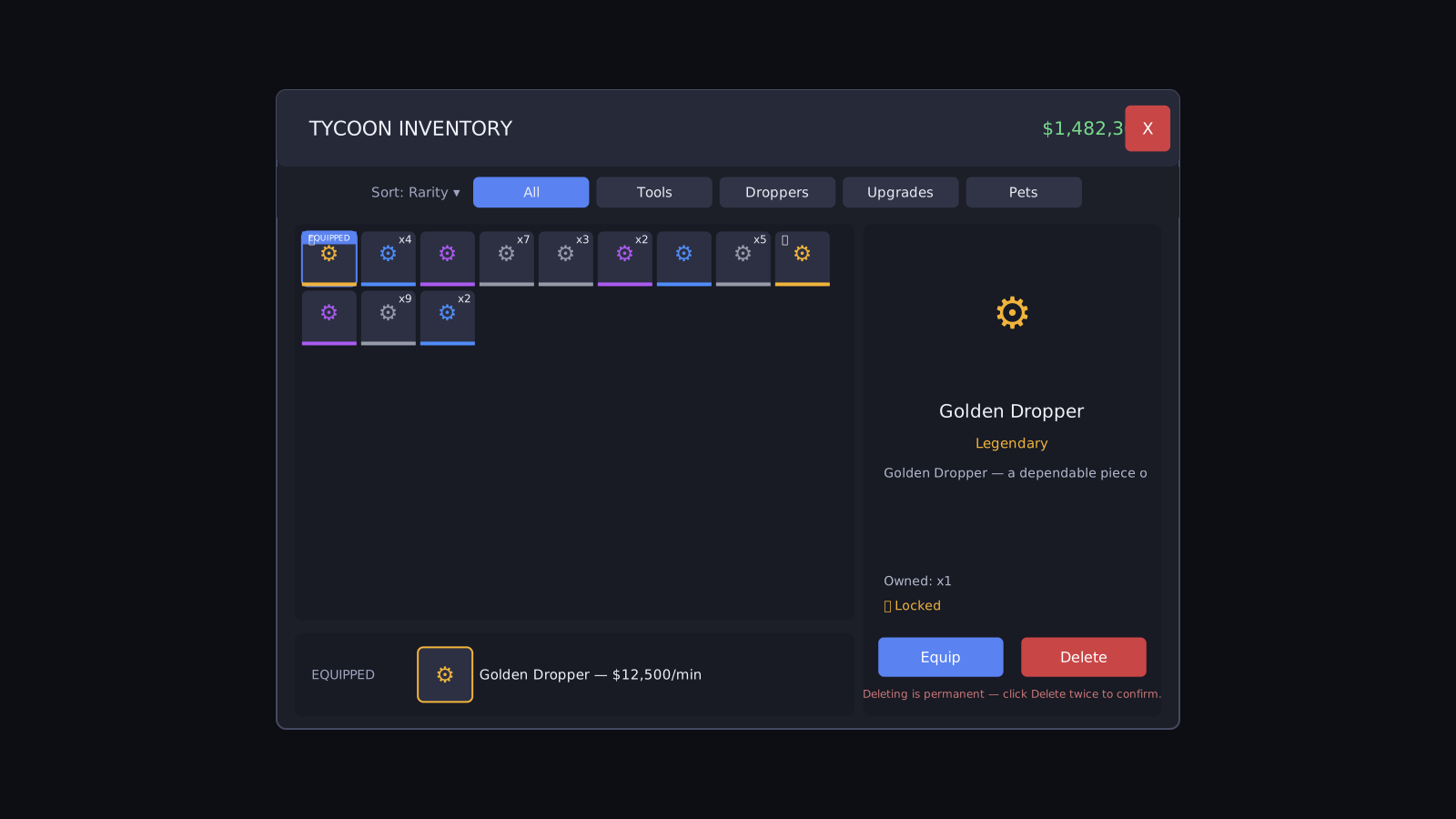
end)The model was asked for a tycoon inventory screen. This is what its Luau drew when it ran, unretouched, including the parts it got wrong.
100.2 seconds of model time, once. The picture is geometry, not a Studio screenshot. The model was GIVEN its library; it did not choose to ask for it.
The same run built 21 screens and 6 maps in all, published at /showcase, where the failures are shown at the same size as the successes.
Describe the game; Apple shows a short plan and builds it. Apple answers every request, on every plan. Plans and Credits are on the pricing page.
Apple
Builds complete Roblox games from a short prompt.
Included with every plan, Free too